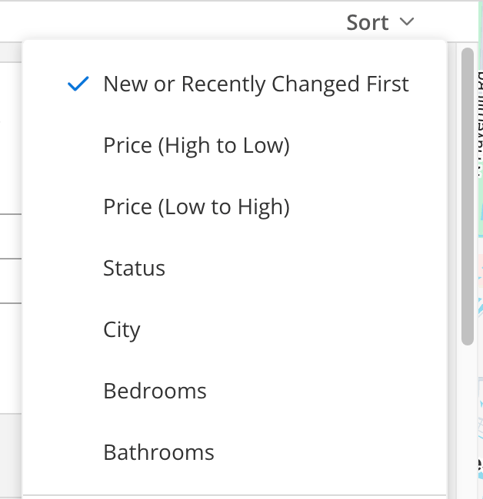
Adding the ?sort_id tag to the end of an IDX link will allow you to set the sort:
| New or Recently Changed ?sort_id=new_or_recently_changed_first |
https://link.flexmls.com/remdfzr2le8,6?sort_id=new_or_recently_changed_first |
| Low to High ?sort_id=price_low_to_high |
https://link.flexmls.com/remdfzr2le8,6?sort_id=price_low_to_high |
| High to Low ?sort_id=price_high_to_low |
https://link.flexmls.com/remdfzr2le8,6?sort_id=price_high_to_low |
| Status ?sort_id=status |
https://link.flexmls.com/remdfzr2le8,6?sort_id=status |
| City ?sort_id=city |
https://link.flexmls.com/remdfzr2le8,6?sort_id=city |
| Bedrooms ?sort_id=bedrooms |
https://link.flexmls.com/remdfzr2le8,6?sort_id=bedrooms |
| Bathrooms ?sort_id=bathrooms |
https://link.flexmls.com/remdfzr2le8,6?sort_id=bathrooms |
You can also choose a custom sort from the link dropdown and append the URL variable to the end of any link: ?sort_id=20160805132942535145000000x